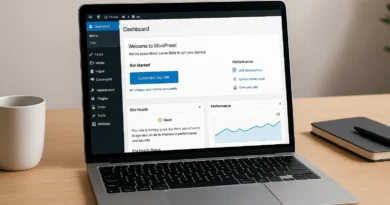
Critical WordPress Plugin & Theme Vulnerabilities in 2025
Why 2025 Feels Different
You already know that WordPress security is like an arms race if you’ve been writing for a while: hackers come up with new tricks, and developers have to work quickly to fix them. But here’s the thing: 2025 is different. Attacks are stronger, security holes are found faster, and it does more damage than ever to ignore fixes.
I remember that in 2022 I thought it was a pain to update apps. I put it off for a week, and guess what? A known security hole existed in a small app that I didn’t even use very often. It was picked up by bots within hours, and my site started going to a sketchy betting site. That woke me up.
Today, we’re not just going to give you a list of plugins to stay away from. We’re also going to talk about the real risks that come with WordPress plugin and theme flaws in 2025. I’ll show you how to keep your website safe with examples, case studies, and useful tips you can use right away. Not a lot of filler or words. Real talk for real site owners.
Why are vulnerabilities in WordPress such a big deal in 2025?
Let’s break it down. More than 40% of the web is run by WordPress. That is a very big goal. Hackers usually don’t go after you directly. Instead, they look for flaws in apps and themes that millions of sites use. They throw a wide net and catch everyone who hasn’t patched yet. It’s like fishing in a big pond.
This year, these things have changed:
- Faster Exploits – In 2023, hackers might need weeks to find a way to use a flaw that has been made public. In the year 2025? It takes hours sometimes.
- Automation Everywhere – Attack bots look through the web 24 hours a day, seven days a week. They don’t sleep. They never skip a beat.
- Supply Chain Risks – Hackers are now trying to sneak bad code into plugin updates, so you should be careful about which updates you believe.
- Data = Gold – Data is like gold. When AI is used to steal data, even a small leak, like user emails, can be quickly turned into bigger scams.
Honestly, in 2025, using WordPress without a security plan is like leaving your house open in a busy city.
The Most Common WordPress vulnerabilities
Let’s talk about the main types of weaknesses before getting into specific 2025 plugin and theme problems. This helps you see why they’re important.
- SQL Injection (SQLi) – When hackers use SQL Injection (SQLi), they sneak bad searches into your database. Imagine that someone broke into the file box at your site and changed the files.
- Cross-Site Scripting (XSS) – This is when attackers put scripts on your site that run in the browsers of your users. While someone is reading your blog one second, their information is being stolen the next.
- Cross-Site Request Forgery (CSRF) – is when someone logs in and then tricks other people into doing things they didn’t want to do, like changing settings.
- Privilege Escalation – An account from a low-level user gets master rights. That’s scary.
- File Upload Vulnerabilities – This is when plugins let hackers post harmful files.
Most of these sound complicated, but they do one easy thing: they let hackers take over your site.
Real-World Vulnerabilities in Well-Known Plugins (2025 Updates)
This is where things get real. These aren’t just hypothetical risks; they’re real flaws that made the news in 2025.
1. Elementor Add-ons Exploits
The add-on packs for Elementor are also very popular. Early in 2025, security experts found that some Elementor add-ons didn’t properly check user input. Hackers could add code to pages that were made with Elementor widgets.
I saw that this is how the site of a food writer got hacked. People who went to her site saw crypto scam pop-ups instead of her recipe cards. She lost a lot of traffic overnight.
2. WooCommerce SQL Injection Issues
This is a huge part of the internet, and WooCommerce makes it work. Researchers found a SQL injection flaw in a popular WooCommerce app in February 2025. Attackers could get full lists of customers, which would include names and some payment information.
Just think: One breach could ruin trust for good. Would you buy something from a store that gave out your information?
3. RevSlider Returns
Who remembers RevSlider? In the middle of the 2010s, it was the perfect example of a weakness. In a 2025 update, someone found a new way to get in. Attackers could post harmful files by avoiding checks for file types.
Things happen again and again, especially when coders don’t learn.
4. Outdated Theme Backdoors
This one is sneaky. Several nulled (illegal) versions of premium themes with secret backdoors were found in March 2025. It looked like you could get them for free, but they came with harmful code.
“I just wanted to save $59,” one customer said. He had to pay more than $2,000 to clean up after that “savings.”
Case Study: The Photographer’s Nightmare
Here’s a true story (names have been changed to protect privacy).
A wedding photographer in Manila used WordPress and a paid theme to make her site. She put in a free gallery plugin that she got from a website. She didn’t know that the plugin hadn’t been updated in two years and had an XSS flaw that hadn’t been fixed.
Within a week, guests began reporting strange redirects. Brides-to-be were being sent to a dating scam site when I checked her page. Think of how bad it would be for her image!
This is how we fixed it:
- Getting rid of the infected plugin.
- Getting the database clean.
- Setting up a Web Application Firewall (WAF).
- Setting up automatic updates.
Lesson? Before downloading, you should always look at the plugin’s update history and reviews.
Why Theme Vulnerabilities Are dangerous
Most of the attention is on plugins, but themes can be just as dangerous. It’s true that themes are more than just “design”—they’re also code.
- Theme Functions.php – This file is a favorite spot for hackers to sneak code.
- Bundled Plugins – A lot of themes come with old plugins, like page builders.
- Abandoned Themes – developers stop working on them and don’t update them anymore.
In 2025, security experts found a number of ThemeForest themes that came with old plugins. People who bought expensive versions thought they were safe, but the bundled versions made holes.
Warning Signs That Your WordPress Site May Have Been compromised
Not sure if you were hit or not? Keep an eye out for these signs:
- Unexpected redirects send people to unknown sites.
- New admin accounts that are strange.
- Slow site speed (because malware is using up your resources).
- Warning signs from Google that say “This site may have been hacked.”
- Emails from people saying that your site looks sketchy.
Well, hackers don’t usually raise an alarm. A lot of bugs sneak around and steal data or traffic without being noticed.
How to Fix Your Website If It’s Already Been Hacked
What if the worst thing happens? You get hacked. Do not worry. Take a look at this list:
- Take the Site Offline – Stop letting people view it for a while.
- Change Passwords – All of your accounts, like servers and database, need to have their passwords changed.
- Scan with Security Plugins – Use security plug-ins, such as Wordfence or Sucuri, to scan.
- Check File Changes – Check the core files against the WordPress source.
- Remove Unknown Plugins/Themes – Delete it if you don’t know what it is.
- Restore from Backup – Bring back a backup, if you have a good one.
- Update Everything – Core, plugins, and themes should all be updated.
- Enable a Firewall – Turn on a firewall to stop attacks from happening again.
Although it may seem impossible, cleaning up is possible. Do not be afraid to ask for help if you get stuck. At Preet Web Vision, we clean up WordPress sites all the time.
Stopping Vulnerabilities Before They Happen
Avoiding problems is better than fixing them. In 2025, I suggest the following:
- Regularly Update: For known plugins, set them to automatically update.
- Remove unused plugins and themes – It’s a risk if it’s not being used.
- Use Reliable Sources: You should only download from WordPress.org or sellers you know you can trust.
- Put in a security plugin like Sucuri, Wordfence, or iThemes Security.
- Use tools like UpdraftPlus or BlogVault to back up your files regularly.
- Two-factor authentication (2FA) should be turned on, especially for admin users.
In 2025, what will managed hosting do?
One thing I’ve found is that hackers target sites less when they pay for managed WordPress hosting. Why? For this reason, the host fixes security holes at the server level.
In 2025, hosts like Kinsta, WP Engine, and SiteGround have become better. Some of them are checking for malware, setting up safe update staging sites, and making automatic backups.
A cheap shared host costs less than this. But think about it: is your site important enough to protect?
The Human Factor: Don’t Ignore the “Boring Stuff”
Most leaks are caused by bad habits, not bad code. No strong passwords. Not following changes. Putting in random freeware.
Truth be told, I used to roll my eyes at security alerts too. But you quickly learn what to do when your site is hacked at 3 AM.
What Will Happen in 2026?
I see three trends coming together
- Attacks that use AI are smarter, faster, and more focused.
- Tougher Rules—Governments are pushing for data protection rules that are stronger.
- Security plugins play a bigger part – They’ll protect you like little guardians, stopping strikes as they happen.
If you do something now, you’ll be safer when these trends really take off.
Last thing: Keep your WordPress site safe.
Finally, let’s be honest: WordPress isn’t going anywhere. In 2025, it’s still the best blogging tool because it’s powerful and easy to use. But when you have a lot of power, you need to be responsible for things like keeping your apps and themes safe.
Remember:
- Vulnerabilities aren’t just “tech issues.” They hurt your income, image, and traffic.
- Being careful and up-to-date will save you stress in the long run.
- If you’re feeling overwhelmed, you can always get help.
👉 Need help?
Contact our team at Preet Web Vision
Call me at +63-9633112000, or email hello@preetwebvision.com
And don’t forget to subscribe to our YouTube channels if you like video tutorials:
- Preet Tech Ideas (English)
- Preet WebXP (Hindi)
Have you ever had to deal with a WordPress vulnerability? Feel free to share your story in the comments. It might help someone else stay safe.